
Advanced Certificate in Collaboration with Microsoft Teams: Tips and Tricks
Master Microsoft Teams collaboration tools and techniques to enhance productivity and team efficiency with this advanced certificate.
Advanced Certificate in Collaboration with Microsoft Teams: Tips and Tricks
Programme Overview
The 'Advanced Certificate in Collaboration with Microsoft Teams: Tips and Tricks' programme is designed for professionals, including IT administrators, team leaders, and remote workers, who seek to enhance their skills in leveraging Microsoft Teams for productive collaboration and communication. The programme delves into advanced features and best practices, ensuring participants can maximize the platform’s capabilities for seamless teamwork, regardless of physical location.
Throughout the programme, learners will develop a comprehensive understanding of Microsoft Teams' advanced functionalities, including detailed insights into team management, channel and tab customization, integration with other Microsoft services, and the implementation of security and compliance measures. Key skills also include mastering the use of bots and workflows, streamlining communication through advanced meeting tools, and enhancing user engagement through the effective use of apps and integrations.
Participants will emerge with the knowledge and skills to drive significant improvements in collaboration and productivity within their organizations. This certification is beneficial for career progression, particularly in roles that require expertise in managing and optimizing communication tools. Graduates will be well-prepared to lead initiatives that leverage Microsoft Teams to foster a more collaborative and efficient work environment, thereby positioning themselves as valuable assets in the digital workplace.
What You'll Learn
Dive into the cutting-edge world of team collaboration with the 'Advanced Certificate in Collaboration with Microsoft Teams: Tips and Tricks.' This comprehensive program equips you with the latest skills and best practices to maximize the potential of Microsoft Teams in both personal and professional settings. Whether you're a beginner looking to enhance your teamwork capabilities or an experienced professional aiming to lead more effective virtual meetings, this program offers invaluable insights and practical tips.
Key topics include advanced team management, integrating third-party apps, leveraging Microsoft Teams for project management, and ensuring data security and compliance. You'll learn to create dynamic channels, set up robust meeting agendas, and utilize advanced features like live captions and polling to engage your team members more effectively.
Upon completion, you'll be able to apply these skills to boost productivity, streamline workflows, and foster a more collaborative environment. This program opens doors to career advancements in roles such as Team Collaboration Specialist, Virtual Event Coordinator, and Digital Collaboration Manager. Graduates are well-prepared to lead teams through complex projects and enhance organizational efficiency. With a growing number of remote and hybrid work models, the demand for professionals proficient in Microsoft Teams continues to rise, making this certificate a valuable asset in your career toolkit.
Programme Highlights
Industry-Aligned Curriculum
Developed with industry leaders to ensure practical, job-ready skills valued by employers worldwide.
Expert Faculty
Learn from experienced professionals with real-world expertise in your chosen field.
Flexible Learning
Study at your own pace, from anywhere in the world, with our flexible online platform.
Industry Focus
Practical, real-world knowledge designed to meet the demands of today's competitive job market.
Latest Curriculum
Stay ahead with constantly updated content reflecting the latest industry trends and best practices.
Career Advancement
Unlock new opportunities with a globally recognized qualification respected by employers.
Topics Covered
- Introduction to Microsoft Teams: Overview of the platform and its features.
- Team and Channel Management: Best practices for organizing teams and channels.
- Communication Tools: Utilizing chat, meetings, and voice calls effectively.
- Collaboration Features: Working with files, using tabs, and integrating apps.
- Admin and Governance: Setting up and managing team settings and policies.
- Advanced Integration: Connecting Teams with other Microsoft products and third-party tools.
Key Facts
Audience: Professionals, Teams managers
Prerequisites: Basic computer skills, Microsoft account
Outcomes: Master Teams features, Enhance collaboration, Improve productivity
Why This Course
Enhance Collaboration Efficiency: The 'Advanced Certificate in Collaboration with Microsoft Teams' equips professionals with advanced techniques to streamline communication and collaboration within their teams. By mastering features like dynamic meeting scheduling, channel management, and integration with other Microsoft apps, individuals can significantly boost productivity and ensure that projects are completed more efficiently.
Develop Essential IT Skills: This certificate offers in-depth training on Microsoft Teams, a critical tool in today’s digital workplace. Participants will gain proficiency in managing Teams environments, setting up secure channels, and implementing best practices for data privacy and security. These skills are highly valued in the job market and can differentiate professionals in their careers.
Boost Professional Network: The course provides opportunities to network with professionals from diverse industries, fostering knowledge exchange and potential collaboration. Engaging with a community of learners and experts can lead to new job opportunities, partnerships, and career advancements. This network effect is invaluable for career growth and staying updated with industry trends.
Programme Title
Advanced Certificate in Collaboration with Microsoft Teams: Tips and Tricks
Course Brochure
Download our comprehensive course brochure with all details
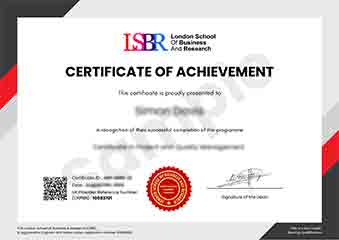
Sample Certificate
Preview the certificate you'll receive upon successful completion of this program.
Pay as an Employer
Request an invoice for your company to pay for this course. Perfect for corporate training and professional development.
What People Say About Us
Hear from our students about their experience with the Advanced Certificate in Collaboration with Microsoft Teams: Tips and Tricks at CourseBreak.
Charlotte Williams
United Kingdom"The course content is incredibly comprehensive and well-structured, providing a wealth of practical tips and tricks that have significantly enhanced my ability to collaborate effectively using Microsoft Teams. I've gained valuable skills that are directly applicable in my work, making me more productive and better equipped to handle team projects."
Jia Li Lim
Singapore"This course has been incredibly valuable, equipping me with advanced skills in Microsoft Teams that are directly applicable in my role. It has not only improved my efficiency but also opened up new opportunities for collaboration and project management in my organization."
Isabella Dubois
Canada"The course structure was well-organized, providing a clear path from basic to advanced features of Microsoft Teams, which significantly enhanced my understanding and practical skills. The comprehensive content and real-world applications made it easy to see how these tools can be effectively used in professional settings."