
Advanced Certificate in Optimizing Windows Performance with UEFI Settings
Optimize Windows performance with expert UEFI settings configuration and troubleshooting techniques.
Advanced Certificate in Optimizing Windows Performance with UEFI Settings
Programme Overview
The Advanced Certificate in Optimizing Windows Performance with UEFI Settings is a comprehensive programme designed for IT professionals, system administrators, and technical support specialists seeking to enhance their expertise in optimizing Windows performance. This programme covers the configuration and management of UEFI settings to improve system boot times, enhance security, and increase overall system efficiency.
Through hands-on training and in-depth study, learners will develop practical skills in configuring UEFI firmware settings, optimizing Windows boot processes, and troubleshooting common performance issues. They will gain a deep understanding of UEFI architecture, Windows performance monitoring tools, and best practices for optimizing system performance. Learners will also acquire knowledge of advanced Windows features, such as Secure Boot and Trusted Platform (TPM) configuration.
Upon completing this programme, learners will be equipped to significantly improve Windows performance, security, and reliability in their organizations, leading to enhanced career prospects and professional outcomes. They will be able to design and implement optimized Windows systems, troubleshoot complex performance issues, and provide expert guidance on UEFI settings and Windows performance optimization.
What You'll Learn
The Advanced Certificate in Optimizing Windows Performance with UEFI Settings is a highly specialized programme designed to equip IT professionals with the expertise to maximize system efficiency and security in modern computing environments. In today's fast-paced digital landscape, organizations rely on optimized Windows performance to drive productivity, competitiveness, and innovation. This programme fills a critical skills gap by focusing on the intricacies of UEFI settings, BIOS configuration, and Windows tuning.
Key topics covered include UEFI firmware configuration, Windows boot process optimization, and performance monitoring using tools like Windows Performance Analyzer and Sysinternals. Students develop competencies in diagnosing and resolving performance issues, configuring UEFI settings for enhanced security, and implementing best practices for Windows deployment and management. Graduates apply these skills in real-world settings, such as optimizing Windows deployments for enterprise environments, troubleshooting performance issues in data centers, and configuring UEFI settings for secure boot and firmware updates.
By mastering these skills, professionals can significantly enhance their career advancement opportunities in roles like Windows system administration, IT consulting, and cybersecurity. Industry-recognized certifications, such as Microsoft Certified Solutions Expert (MCSE), are also within reach. With the Advanced Certificate in Optimizing Windows Performance with UEFI Settings, IT professionals can stay ahead of the curve and drive business success through optimized system performance and security.
Programme Highlights
Industry-Aligned Curriculum
Developed with industry leaders to ensure practical, job-ready skills valued by employers worldwide.
Expert Faculty
Learn from experienced professionals with real-world expertise in your chosen field.
Flexible Learning
Study at your own pace, from anywhere in the world, with our flexible online platform.
Industry Focus
Practical, real-world knowledge designed to meet the demands of today's competitive job market.
Latest Curriculum
Stay ahead with constantly updated content reflecting the latest industry trends and best practices.
Career Advancement
Unlock new opportunities with a globally recognized qualification respected by employers.
Topics Covered
- Introduction to UEFI: UEFI basics explained.
- Boot Optimization: Faster boot times achieved.
- Firmware Settings: UEFI firmware configured.
- Performance Tweaks: Windows performance optimized.
- Secure Boot Configuration: Secure boot enabled.
- Advanced Troubleshooting: Complex issues resolved.
Key Facts
Target Audience: IT professionals and system administrators seeking to enhance their skills in optimizing Windows performance with UEFI settings.
Prerequisites: No formal prerequisites required, but basic knowledge of Windows operating systems and UEFI firmware is recommended.
Learning Outcomes:
Configure UEFI settings to optimize Windows boot time and overall system performance.
Identify and troubleshoot common UEFI-related issues affecting Windows performance.
Implement secure boot and firmware update processes to ensure system integrity.
Analyze and optimize UEFI settings for improved power management and resource allocation.
Apply best practices for UEFI configuration and management in enterprise environments.
Assessment Method: Quiz-based assessment to evaluate understanding of UEFI settings and their impact on Windows performance.
Certification: Industry-recognised digital certificate awarded upon successful completion of the course, demonstrating expertise in optimizing Windows performance with UEFI settings.
Why This Course
As technology advances, professionals must stay up-to-date with the latest developments in Windows performance optimization to remain competitive in their field. The 'Advanced Certificate in Optimizing Windows Performance with UEFI Settings' programme offers a unique opportunity for professionals to enhance their skills and knowledge in this area, leading to improved career prospects and increased industry relevance.
Enhanced career prospects: This programme enables professionals to develop advanced skills in optimizing Windows performance, making them more attractive to potential employers and increasing their chances of career advancement. By mastering UEFI settings, professionals can improve system performance, reduce downtime, and increase overall efficiency, leading to improved job satisfaction and career growth. This expertise can also lead to specialized roles, such as system administrator or performance optimization specialist.
In-depth knowledge of UEFI settings: The programme provides comprehensive training on UEFI settings, allowing professionals to gain a deeper understanding of how to configure and optimize these settings for improved Windows performance. This knowledge enables professionals to troubleshoot complex system issues, identify performance bottlenecks, and implement targeted optimizations, leading to improved system reliability and stability.
Improved system security: By learning how to optimize UEFI settings, professionals can also improve system security, reducing the risk of malware and other security threats. This is particularly important in industries where data security is paramount, such as finance, healthcare, and government, where professionals with advanced knowledge of UEFI settings can play a critical role in protecting sensitive information.
*Industry relevance and recognition
Programme Title
Advanced Certificate in Optimizing Windows Performance with UEFI Settings
Course Brochure
Download our comprehensive course brochure with all details
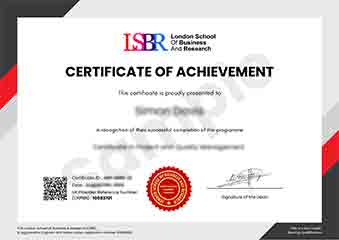
Sample Certificate
Preview the certificate you'll receive upon successful completion of this program.
Pay as an Employer
Request an invoice for your company to pay for this course. Perfect for corporate training and professional development.
What People Say About Us
Hear from our students about their experience with the Advanced Certificate in Optimizing Windows Performance with UEFI Settings at CourseBreak.
Charlotte Williams
United Kingdom"I found the course material to be incredibly comprehensive and well-structured, allowing me to gain a deep understanding of UEFI settings and their impact on Windows performance. The practical skills I learned have been invaluable, enabling me to optimize system configurations and troubleshoot issues with ease, which has already started to benefit my career as a system administrator. Overall, the knowledge gained from this course has significantly enhanced my ability to manage and fine-tune Windows systems, making it a worthwhile investment of my time."
Ashley Rodriguez
United States"By mastering UEFI settings, I've significantly enhanced my ability to optimize Windows performance, which has been a game-changer in my career as a system administrator, allowing me to troubleshoot and resolve complex issues more efficiently. The skills I gained have not only improved my job performance but also opened up new opportunities for career advancement in the industry. I'm now confident in my ability to design and implement high-performance Windows systems that meet the demanding needs of modern organizations."
Hans Weber
Germany"The course structure was well-organized, allowing me to seamlessly progress from foundational concepts to advanced UEFI settings, which significantly enhanced my understanding of optimizing Windows performance. I appreciated the comprehensive content, as it not only covered theoretical aspects but also provided practical insights into real-world applications, making the learning experience highly relevant and valuable. Through this course, I gained in-depth knowledge that will undoubtedly contribute to my professional growth in managing and optimizing Windows systems."