
Advanced Certificate in Windows Folder Customization for Enhanced Usability
Master Windows folder customization for enhanced usability, boosting efficiency and user experience through advanced organizational techniques and shortcuts.
Advanced Certificate in Windows Folder Customization for Enhanced Usability
Programme Overview
The Advanced Certificate in Windows Folder Customization for Enhanced Usability is designed for IT professionals, system administrators, and computer science enthusiasts who wish to elevate their skills in optimizing file management and user experience on Windows operating systems. This comprehensive programme delves into advanced techniques for customizing folder structures, integrating with third-party tools, and automating tasks to streamline workflows and enhance productivity.
Key skills and knowledge learners will develop include mastery in creating and managing custom folder templates, implementing advanced search techniques, automating folder operations with scripts and batch files, and integrating custom folder solutions with cloud storage services and enterprise networks. Participants will also gain proficiency in using PowerShell for scripting, understanding registry management for customization, and ensuring system security and performance through efficient folder management practices.
This programme significantly impacts career trajectories by equipping professionals with the ability to design and implement highly customized and user-friendly file management systems. Graduates will be well-prepared to enhance workplace productivity, improve user satisfaction, and contribute to the development of more efficient IT environments, making them valuable assets in any technology-driven organization.
What You'll Learn
Immerse yourself in the world of Windows folder customization with our Advanced Certificate in Windows Folder Customization for Enhanced Usability. This comprehensive program equips you with advanced skills to optimize your computing environment, enhancing both efficiency and user experience. You’ll learn to leverage advanced features of Windows to create intuitive, personalized folder structures and shortcuts, automate tasks, and integrate third-party tools seamlessly.
Key topics include advanced folder management techniques, customizing the Windows shell for enhanced usability, utilizing PowerShell for scripting, and integrating automation tools to streamline workflow. Graduates can apply these skills to boost productivity in personal and professional settings, whether managing large datasets, organizing project files efficiently, or enhancing the user experience in a corporate environment.
This program opens doors to diverse career opportunities, including system administration, IT support, and software development. Participants will be well-prepared to work in tech-savvy industries, where the ability to customize and optimize systems can significantly enhance operational efficiency. Whether you are a tech enthusiast looking to deepen your skills or a professional aiming to advance your career, this certificate provides a robust foundation in advanced Windows folder customization.
Programme Highlights
Industry-Aligned Curriculum
Developed with industry leaders to ensure practical, job-ready skills valued by employers worldwide.
Expert Faculty
Learn from experienced professionals with real-world expertise in your chosen field.
Flexible Learning
Study at your own pace, from anywhere in the world, with our flexible online platform.
Industry Focus
Practical, real-world knowledge designed to meet the demands of today's competitive job market.
Latest Curriculum
Stay ahead with constantly updated content reflecting the latest industry trends and best practices.
Career Advancement
Unlock new opportunities with a globally recognized qualification respected by employers.
Topics Covered
- Foundational Concepts: Covers the core principles and key terminology.
- Customization Tools: Introduces various tools and software used for folder customization.
- User Experience Design: Focuses on enhancing folder usability through UX principles.
- Scripting for Automation: Teaches how to write scripts for automating folder management tasks.
- Security and Permissions: Discusses best practices for securing customized folders.
- Advanced Techniques: Explores advanced customization techniques and strategies.
Key Facts
Audience: IT professionals, system administrators
Prerequisites: Basic Windows OS knowledge
Outcomes: Customize folders, improve usability, enhance user experience
Why This Course
Enhance User Experience: Acquiring an Advanced Certificate in Windows Folder Customization for Enhanced Usability enables professionals to create more user-friendly interfaces, which can significantly improve user satisfaction and productivity. By mastering techniques such as folder organization, shortcut creation, and customizing the Windows environment, professionals can streamline workflows and reduce user frustration.
Increase Job Opportunities: This certification highlights a professional’s ability to optimize computer systems for better usability. Many companies seek experts who can enhance the user experience, especially in roles like IT support, system administration, and user experience design. The skills gained can open doors to advanced positions and higher-paying roles.
Boost Technical Skills: The certification deepens understanding of Windows operating systems and their customization options. Professionals gain hands-on experience with advanced features like PowerShell scripting, which can be crucial for automating tasks and managing system configurations. These skills are highly valued in the tech industry and can make a professional more versatile and adaptable in various IT roles.
Programme Title
Advanced Certificate in Windows Folder Customization for Enhanced Usability
Course Brochure
Download our comprehensive course brochure with all details
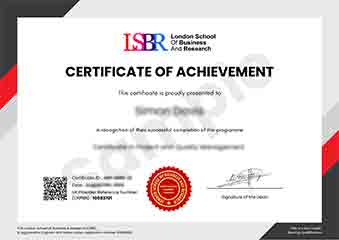
Sample Certificate
Preview the certificate you'll receive upon successful completion of this program.
Pay as an Employer
Request an invoice for your company to pay for this course. Perfect for corporate training and professional development.
What People Say About Us
Hear from our students about their experience with the Advanced Certificate in Windows Folder Customization for Enhanced Usability at CourseBreak.
James Thompson
United Kingdom"The course content was incredibly detailed and well-structured, providing a solid foundation in customizing Windows folders for enhanced usability. I gained practical skills that have already improved my workflow and efficiency, making me more competitive in my field."
Connor O'Brien
Canada"This course has significantly enhanced my ability to customize Windows folders, making my work processes more efficient and user-friendly. It has opened up new opportunities in my field, allowing me to take on more complex projects and improve the overall user experience for my clients."
Rahul Singh
India"The course structure is well-organized, providing a clear path from basic concepts to advanced techniques in folder customization, which significantly enhances usability. The comprehensive content offers numerous real-world applications that have directly contributed to my professional growth in improving user interfaces."