
Certificate in Hands-On Guide to Windows Registry for Beginners
Master the Windows Registry with hands-on practice; gain essential skills for system administration and troubleshooting.
Certificate in Hands-On Guide to Windows Registry for Beginners
Programme Overview
The Certificate in Hands-On Guide to Windows Registry for Beginners is a comprehensive programme designed for individuals with little to no experience in system administration and those who wish to gain foundational knowledge in handling the Windows Registry. This program is particularly suitable for IT professionals, system administrators, and enthusiasts looking to enhance their understanding of the Windows operating system's core data store, enabling them to perform basic registry operations and troubleshoot common issues.
Participants will develop essential skills in identifying and navigating the Windows Registry, understanding key registry components, and applying best practices for safe registry management. They will learn how to use the Registry Editor, understand the impact of registry changes, and implement basic security measures to protect the system. The programme also covers common registry-related tasks such as backing up and restoring registry data, managing user permissions, and troubleshooting registry-related errors.
This programme has a significant impact on career advancement, providing learners with the necessary skills to manage Windows systems more effectively. Graduates can expect to enhance their job prospects in IT roles that require a solid understanding of Windows system administration, including system support, network administration, and IT help desk positions. By mastering the Windows Registry, participants will be better equipped to handle system configurations, resolve issues, and maintain the stability and performance of Windows environments.
What You'll Learn
Dive into the core of Windows operating systems with the Certificate in Hands-On Guide to Windows Registry for Beginners. This comprehensive program equips beginners with the essential skills to manage and optimize the Windows Registry, a critical component of Microsoft Windows. Through hands-on exercises and real-world scenarios, you'll learn how to navigate the registry, understand its structure, and troubleshoot common issues. Key topics include registry keys, values, and the importance of back-ups.
Participants will gain practical experience in editing the registry to enhance system performance, resolve application and system issues, and customize the Windows environment. The program emphasizes safety and best practices to ensure learners can confidently apply their knowledge in a production environment. Graduates will be well-prepared to handle registry-related tasks in various IT roles, from system administrators to support technicians.
This certificate opens doors to enhanced career prospects in IT support, IT administration, and system maintenance. It is an invaluable addition to your skill set, providing a strong foundation for a career in technology. With hands-on training and real-world applications, this program ensures that you are ready to tackle the challenges of registry management head-on.
Programme Highlights
Industry-Aligned Curriculum
Developed with industry leaders to ensure practical, job-ready skills valued by employers worldwide.
Expert Faculty
Learn from experienced professionals with real-world expertise in your chosen field.
Flexible Learning
Study at your own pace, from anywhere in the world, with our flexible online platform.
Industry Focus
Practical, real-world knowledge designed to meet the demands of today's competitive job market.
Latest Curriculum
Stay ahead with constantly updated content reflecting the latest industry trends and best practices.
Career Advancement
Unlock new opportunities with a globally recognized qualification respected by employers.
Topics Covered
- Foundational Concepts: Covers the core principles and key terminology.
- Registry Structure: Explains the hierarchical structure and organization.
- Key Operations: Teaches how to add, modify, and delete registry keys.
- Advanced Search Techniques: Introduces advanced methods for querying the registry.
- Security and Permissions: Discusses security settings and user permissions.
- Troubleshooting Common Issues: Provides solutions for common registry-related problems.
Key Facts
Audience: Beginners with no prior registry experience
Prerequisites: Basic Windows operating knowledge
Outcomes: Understand registry structure, identify common keys, perform safe edits
Why This Course
Enhanced Troubleshooting Skills: Gaining a certificate in the Windows Registry can significantly improve a professional's ability to troubleshoot and resolve critical system issues. The Windows Registry is a central repository for settings and options for the operating system and its applications. Mastery of its structure and functions enables professionals to diagnose and fix problems that might otherwise be difficult to resolve, enhancing their value in IT support roles.
Advanced Knowledge for IT Professionals: This certificate provides a deep dive into the Windows Registry, offering professionals a thorough understanding of its architecture and the impact of registry changes on system performance and stability. Such knowledge is crucial for advanced IT roles, where the ability to optimize and maintain system settings is essential.
Career Advancement Opportunities: Acquiring this certificate can open doors to more specialized and lucrative roles within IT. The ability to manage and troubleshoot the Windows Registry is a valuable skill that differentiates IT professionals, making them more competitive for roles that require in-depth knowledge of system configuration and maintenance.
Language
- EnglishENGLISH
- हिन्दीHINDI
- EspañolSPANISH
- FrançaisFRENCH
- DeutschGERMAN
- ItalianoITALIAN
- PortuguêsPORTUGUESE
- РусскийRUSSIAN
- 中文MANDARIN
- 日本語JAPANESE
- 한국어KOREAN
- العربيةARABIC
Programme Title
Certificate in Hands-On Guide to Windows Registry for Beginners
Course Brochure
Download our comprehensive course brochure with all details
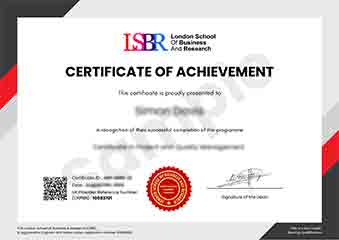
Sample Certificate
Preview the certificate you'll receive upon successful completion of this program.
Pay as an Employer
Request an invoice for your company to pay for this course. Perfect for corporate training and professional development.
What People Say About Us
Hear from our students about their experience with the Certificate in Hands-On Guide to Windows Registry for Beginners at CourseBreak.
Charlotte Williams
United Kingdom"The course provided a solid foundation in understanding the Windows Registry, which has significantly enhanced my ability to troubleshoot and optimize system performance. Gaining hands-on experience with real-world scenarios has been incredibly beneficial for my career in IT."
Kai Wen Ng
Singapore"Gaining a solid understanding of the Windows Registry has been incredibly valuable for my career. This course not only provided practical tools and techniques but also helped me to better troubleshoot and optimize systems, making me more competitive in the tech industry."
Anna Schmidt
Germany"The course structure was well-organized, making it easy to follow along and understand the complexities of the Windows Registry. It provided a solid foundation of knowledge that has significantly enhanced my ability to troubleshoot and manage system settings effectively."