
Professional Certificate in Tableau Training
Learn to design and build interactive dashboards with Tableau, enhancing data visualization skills for effective decision-making.
Professional Certificate in Tableau Training
Programme Overview
This course is designed for data professionals and curious beginners who want to hone their Tableau skills. It’s for those who already have a basic understanding of Tableau and are ready to dive deeper. First, you will explore advanced visualization techniques that take your data storytelling to the next level.
Next, you will learn how to create interactive dashboards. You will gain hands-on experience by building real-world dashboards. Then, you will learn how to integrate and automate various data sources to make your dashboards dynamic. Finally, you will master the art of presenting data in a compelling and engaging manner. By the end of this course, you’ll be able confidently create and present sophisticated, interactive dashboards.
What You'll Learn
Unlock your data storytelling potential with our 'Advanced Certificate in Tableau Training: Creating Interactive Dashboards.' This course is designed for both beginners and experienced users. First, you'll dive deep into Tableau. You’ll master data visualization, starting with foundational skills and quickly progressing to advanced techniques.
Moreover, you’ll create dynamic, interactive dashboards. These dashboards will transform raw data into compelling visual stories. You’ll learn to design dashboards that engage users. Consequently, you’ll be able to communicate insights effectively.
With this certificate, you’ll stand out in the job market. As a result, you’ll open doors to roles like Data Analyst, Business Intelligence Developer, and Data Visualization Specialist. Furthermore, you’ll gain hands-on experience with real-world projects. Additionally, you’ll receive personalized feedback from industry experts. Thus, you’ll be well-prepared to apply your skills in any professional setting. So, are you ready to elevate your career? Join us and begin your journey to becoming a Tableau expert today!
Programme Highlights
Industry-Aligned Curriculum
Developed with industry leaders to ensure practical, job-ready skills valued by employers worldwide.
Expert Faculty
Learn from experienced professionals with real-world expertise in your chosen field.
Flexible Learning
Study at your own pace, from anywhere in the world, with our flexible online platform.
Industry Focus
Practical, real-world knowledge designed to meet the demands of today's competitive job market.
Latest Curriculum
Stay ahead with constantly updated content reflecting the latest industry trends and best practices.
Career Advancement
Unlock new opportunities with a globally recognized qualification respected by employers.
Topics Covered
- Introduction to Tableau: Understand the fundamentals and user interface of Tableau.
- Data Connection and Preparation: Learn to connect and prepare data for analysis in Tableau.
- Creating Calculated Fields and Parameters: Develop calculated fields and parameters to manipulate data dynamically.
- Visualization Techniques: Explore various chart types and visualization techniques in Tableau.
- Interactive Dashboard Design: Design and build interactive dashboards using Tableau's features.
- Advanced Analytics and Storytelling: Implement advanced analytics and create compelling data stories.
Key Facts
Audience:
Professionals aiming to enhance data visualization skills.
Individuals seeking to create interactive dashboards.
Those interested in leveraging Tableau for better data storytelling.
Prerequisites:
Basic computer skills.
Familiarity with data concepts.
Prior experience with Tableau is helpful.
Outcomes:
Gain hands-on experience with Tableau.
Learn to design interactive and engaging dashboards.
Master key Tableau features for effective data analysis and presentation.
Why This Course
Master Tableau Quickly: Firstly, this course accelerates your learning. Thus, you will learn advanced skills fast. You'll start creating interactive dashboards immediately.
Hands-On Practice: Next, the course offers plenty of practical exercises. Therefore, you can apply what you learn right away. This builds confidence in using Tableau effectively.
Expert Guidance: Lastly, you receive support from experienced instructors. Consequently, you get answers to your questions promptly. This ensures you stay on track and progress smoothly.
Language
- EnglishENGLISH
- हिन्दीHINDI
- EspañolSPANISH
- FrançaisFRENCH
- DeutschGERMAN
- ItalianoITALIAN
- PortuguêsPORTUGUESE
- РусскийRUSSIAN
- 中文MANDARIN
- 日本語JAPANESE
- 한국어KOREAN
- العربيةARABIC
Programme Title
Professional Certificate in Tableau Training
Course Brochure
Download our comprehensive course brochure with all details
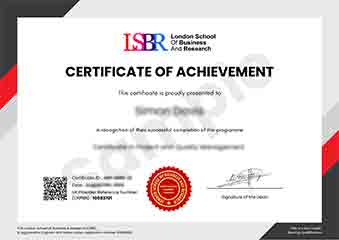
Sample Certificate
Preview the certificate you'll receive upon successful completion of this program.
Pay as an Employer
Request an invoice for your company to pay for this course. Perfect for corporate training and professional development.
What People Say About Us
Hear from our students about their experience with the Professional Certificate in Tableau Training at CourseBreak.
Charlotte Williams
United Kingdom"The course content was incredibly comprehensive, covering everything from basic data visualization to advanced dashboard creation. I gained practical skills that I can immediately apply to my job, making me more confident in creating interactive and insightful dashboards."
Connor O'Brien
Canada"This course has been a game-changer for my career. I've developed a robust skill set in creating interactive dashboards that are not only visually appealing but also highly functional, making me a valuable asset in my current role. The practical applications I've learned are directly relevant to industry needs, enabling me to tackle real-world data challenges with confidence."
Zoe Williams
Australia"The course structure was exceptionally well-organized, with a clear progression from basic to advanced topics that made learning Tableau both intuitive and engaging. The comprehensive content not only covered the technical aspects of creating interactive dashboards but also provided valuable insights into real-world applications, which has significantly enhanced my professional growth and ability to make data-driven decisions."