
Undergraduate Certificate in Accessible PowerPoint: Structuring Content for All
Earn an Undergraduate Certificate in Accessible PowerPoint to enhance content structuring for inclusivity and accessibility.
Undergraduate Certificate in Accessible PowerPoint: Structuring Content for All
Programme Overview
The Undergraduate Certificate in Accessible PowerPoint: Structuring Content for All is designed for individuals seeking to enhance their ability to create accessible PowerPoint presentations, thereby ensuring that content is inclusive and usable for all audiences, including those with disabilities. This program is ideal for educators, trainers, and professionals in the fields of education, technology, and human resources who wish to develop or improve their skills in creating content that adheres to accessibility standards.
Learners will develop key skills in structuring content for accessibility, including the use of alt text for images, creating accessible tables, and applying consistent headers for navigation. The curriculum covers the latest guidelines and standards set by organizations such as the Web Content Accessibility Guidelines (WCAG) and the Americans with Disabilities Act (ADA). Additionally, learners will gain expertise in using Microsoft PowerPoint's accessibility features to improve the usability of their presentations for individuals with visual, auditory, and cognitive impairments.
Upon completion of this program, learners will be well-equipped to create PowerPoint presentations that cater to diverse audiences, enhancing their professional profile and making a significant impact on inclusive education and professional communication. This qualification can lead to career advancements in roles requiring a strong understanding of accessibility principles, such as instructional designers, content developers, and digital learning specialists.
What You'll Learn
The Undergraduate Certificate in Accessible PowerPoint: Structuring Content for All is a specialized program designed to empower students with the skills to create inclusive and accessible digital presentations. This comprehensive program equips learners with the knowledge and techniques to structure PowerPoint presentations that cater to diverse audiences, including those with disabilities. Key topics include the principles of accessible design, the use of alt text for images, and the application of semantic structure to enhance navigation and comprehension.
Upon completion, graduates are well-prepared to apply these skills in various professional settings. They can create presentations for corporate training, educational workshops, or public forums, ensuring that content is accessible to everyone. This program also prepares students for roles in UX design, digital accessibility, and content development, where the ability to craft inclusive materials is highly valued.
The program's curriculum is informed by best practices in accessibility and user experience, ensuring that graduates are at the forefront of digital inclusivity. With a growing emphasis on accessibility in both the public and private sectors, the skills gained through this certificate open doors to a wide range of career opportunities. Graduates can pursue positions as accessibility consultants, digital content specialists, or user experience designers, contributing to a more inclusive digital landscape.
Programme Highlights
Industry-Aligned Curriculum
Developed with industry leaders to ensure practical, job-ready skills valued by employers worldwide.
Expert Faculty
Learn from experienced professionals with real-world expertise in your chosen field.
Flexible Learning
Study at your own pace, from anywhere in the world, with our flexible online platform.
Industry Focus
Practical, real-world knowledge designed to meet the demands of today's competitive job market.
Latest Curriculum
Stay ahead with constantly updated content reflecting the latest industry trends and best practices.
Career Advancement
Unlock new opportunities with a globally recognized qualification respected by employers.
Topics Covered
- Foundational Concepts: Covers the core principles and key terminology.
- Accessibility Guidelines: Outlines the standards and best practices for accessibility.
- Content Structuring: Teaches how to organize content effectively for accessibility.
- Multimedia Integration: Explains how to incorporate videos, images, and audio.
- Testing and Validation: Demonstrates methods for checking accessibility.
- Legal and Ethical Considerations: Discusses the legal framework and ethical responsibilities.
Key Facts
Audience: Students, educators, professionals
Prerequisites: Basic computer skills
Outcomes: Create accessible PowerPoint presentations, enhance content accessibility
Why This Course
Enhance Accessibility and Inclusivity: By earning the 'Undergraduate Certificate in Accessible PowerPoint: Structuring Content for All,' professionals can significantly improve the accessibility of their presentations. This credential equips them with the skills to create documents that are accessible to individuals with disabilities, ensuring content is available to a wider audience. This not only enhances inclusivity but also aligns with the requirements of many organizations that value diversity and inclusion.
Boost Career Advancement: The demand for professionals who can create accessible digital content is steadily increasing across various industries, including education, government, and corporate sectors. Acquiring this certificate can set professionals apart, making them more competitive in the job market. Employers often seek candidates who can demonstrate proficiency in creating accessible content, as it contributes to a more inclusive workplace and aligns with modern digital standards.
Develop Essential Technical Skills: The certificate program focuses on the technical aspects of structuring content for accessibility in PowerPoint. Participants learn to use built-in features and tools effectively, such as alt text for images, descriptive hyperlinks, and consistent formatting. These skills are transferable and can be applied to other software, making professionals more versatile and valuable in their roles.
Programme Title
Undergraduate Certificate in Accessible PowerPoint: Structuring Content for All
Course Brochure
Download our comprehensive course brochure with all details
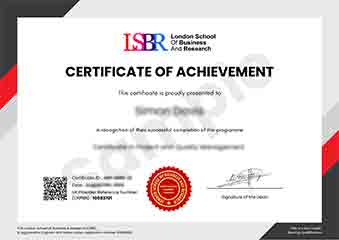
Sample Certificate
Preview the certificate you'll receive upon successful completion of this program.
Pay as an Employer
Request an invoice for your company to pay for this course. Perfect for corporate training and professional development.
What People Say About Us
Hear from our students about their experience with the Undergraduate Certificate in Accessible PowerPoint: Structuring Content for All at CourseBreak.
Charlotte Williams
United Kingdom"This course provided high-quality, detailed content that significantly enhanced my ability to create accessible PowerPoint presentations, which has been incredibly beneficial for my career in user experience design. I learned practical skills that I can immediately apply to improve the inclusivity of digital content for all users."
Tyler Johnson
United States"This course has been incredibly valuable, equipping me with the skills to create accessible PowerPoint presentations that are not only compliant with industry standards but also enhance user engagement. Since completing the course, I've been able to secure a position in a company that prioritizes inclusive design, and my ability to structure content effectively for all users has been a key asset in my role."
Emma Tremblay
Canada"The course is well-organized, guiding me through essential techniques for structuring accessible PowerPoint presentations, which has significantly enhanced my ability to create content that is inclusive and user-friendly for all audiences."