
Undergraduate Certificate in Designing Professional Documents: Windows Publisher Techniques
Learn to create professional documents and publications using Microsoft Publisher, enhancing your design skills and employability.
Undergraduate Certificate in Designing Professional Documents: Windows Publisher Techniques
Programme Overview
This course is for anyone seeking to enhance their document design skills using Microsoft Publisher. Whether you're a student, professional, or simply a hobbyist, this certificate equips you with hands-on techniques. First, you'll learn to navigate Publisher’s interface. Next, you'll dive into creating visually appealing documents. Finally, you'll master advanced features for professional-quality outputs.
By the end of this course, you'll gain confidence in designing a range of documents. You will actively create brochures, newsletters, and flyers. Additionally, you’ll learn to customize templates and insert interactive elements. This certificate ensures you leave with practical skills to create polished professional documents.
What You'll Learn
Ready to elevate your document design skills? Welcome to the 'Undergraduate Certificate in Designing Professional Documents: Windows Publisher Techniques'! First, you will dive into the essentials of Microsoft Publisher. Next, you will learn to create stunning brochures, newsletters, and reports. Meanwhile, you will gain hands-on experience with advanced design principles. Moreover, you will master essential soft skills, such as clear communication and effective collaboration. You will also explore current industry trends, preparing you for diverse career paths.
Firstly, you will stand out in the job market, from marketing to administrative roles. Secondly, you will acquire valuable skills for freelance or entrepreneurial pursuits. Finally, our expert faculty and interactive learning environment will make your journey both enjoyable and rewarding. Join us and transform your ideas into visually compelling documents today!
Programme Highlights
Industry-Aligned Curriculum
Developed with industry leaders to ensure practical, job-ready skills valued by employers worldwide.
Expert Faculty
Learn from experienced professionals with real-world expertise in your chosen field.
Flexible Learning
Study at your own pace, from anywhere in the world, with our flexible online platform.
Industry Focus
Practical, real-world knowledge designed to meet the demands of today's competitive job market.
Latest Curriculum
Stay ahead with constantly updated content reflecting the latest industry trends and best practices.
Career Advancement
Unlock new opportunities with a globally recognized qualification respected by employers.
Topics Covered
- Introduction to Microsoft Publisher: Learn the basics of Microsoft Publisher interface and tools.
- Creating Publications: Understand how to create and save new publications.
- Formatting Text and Objects: Explore techniques for formatting text, images, and other objects.
- Design Principles: Study essential design principles for professional documents.
- Advanced Layout Techniques: Master advanced layout and design techniques in Publisher.
- Publishing and Sharing: Learn how to publish, print, and share your documents effectively.
Key Facts
Audience: This certificate is for students and professionals eager to master Microsoft Publisher. Additionally, it is for anyone who wants to create professional documents. Furthermore, it is for those who wish to enhance their design skills.
Prerequisites: First, students should have basic computer skills. Next, familiarity with Microsoft Office is beneficial. However, no prior design experience is necessary.
Outcomes: Upon completion, students can effectively use Microsoft Publisher. After that, they can design professional documents. Finally, students will have an impressive portfolio to showcase.
Why This Course
Likewise, learners should consider the 'Undergraduate Certificate in Designing Professional Documents: Windows Publisher Techniques' for several compelling reasons. First, this certificate actively equips you with practical skills. You will learn to use Microsoft Publisher effectively. Next, it offers flexibility. You can balance your studies with other commitments. Finally, it enhances employability. This certificate can open new job opportunities or career advancement. Thus, it is a valuable addition to your professional toolkit.
Language
- EnglishENGLISH
- हिन्दीHINDI
- EspañolSPANISH
- FrançaisFRENCH
- DeutschGERMAN
- ItalianoITALIAN
- PortuguêsPORTUGUESE
- РусскийRUSSIAN
- 中文MANDARIN
- 日本語JAPANESE
- 한국어KOREAN
- العربيةARABIC
Programme Title
Undergraduate Certificate in Designing Professional Documents: Windows Publisher Techniques
Course Brochure
Download our comprehensive course brochure with all details
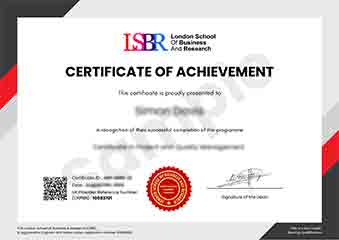
Sample Certificate
Preview the certificate you'll receive upon successful completion of this program.
Pay as an Employer
Request an invoice for your company to pay for this course. Perfect for corporate training and professional development.
What People Say About Us
Hear from our students about their experience with the Undergraduate Certificate in Designing Professional Documents: Windows Publisher Techniques at CourseBreak.
James Thompson
United Kingdom"The course material was incredibly comprehensive, covering everything from basic layout design to advanced publishing techniques in Windows Publisher. I gained practical skills that have already proven beneficial in my internship, such as creating professional brochures and newsletters, which has boosted my confidence in using design software for career-related tasks."
Jia Li Lim
Singapore"This course has been a game-changer for my career. I've gained hands-on skills in Windows Publisher that are directly applicable to my job, allowing me to create professional documents that impress clients and colleagues alike. The industry-relevant techniques I've learned have not only boosted my confidence but also opened up new opportunities for career advancement."
Anna Schmidt
Germany"The course structure was exceptionally well-organized, with each module building logically on the previous one, making it easy to follow and understand. The comprehensive content covered a wide range of Windows Publisher techniques, providing me with practical skills that I can directly apply to professional document design, enhancing my overall professional growth."